
Live TV, movies and series
Shia TV on your television, ready to watch.
Live Shia channels, live Ziyarat, Islamic movies and drama series in Arabic, Farsi, Urdu and English. Plug in the box, or install the app on the TV you already have.
Islamic values
Shia Islamic channels and media on your TV.
Family and kids friendly
Content chosen to be safe for the whole family.
Dedicated team
Working on Shia-TV.com since 2008.
In association with Hidayat TV
Local servers and support from Hidayat TV.
What you get
Everything in one simple app
Channels are sorted by language, so you can flick between them with the remote. If a channel is offline, the app moves on to the next one.
Live TV
Shia channels from around the world, with live Ziyarat.
Movies
Islamic films, in the language you choose.
Series
Long-running dramas with every episode in order.
Free to start
The app and your membership are free. Download it, sign in with your email address, and start watching.
The box
Plug in and watch
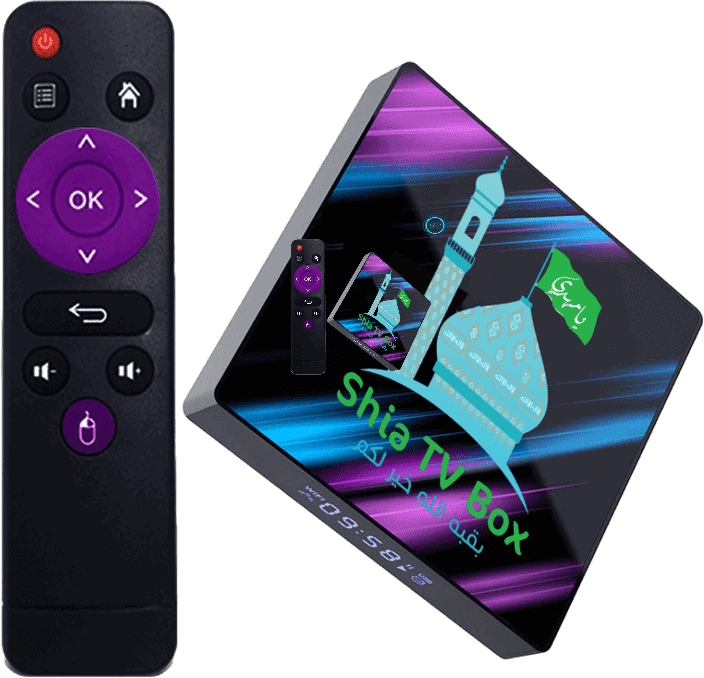
An Android TV box with the Shia TV Box app already installed. Connect it to your TV and your internet, sign in, and you are watching. Boxes that came with the older app can be switched to the new one in a few minutes: see how.
£49.99shipped from the UK
- Works with any TV through HDMI or an A/V cable
- Android with the Google Play Store, so you can add other apps
- Plug and play: connect by Wi-Fi or an Ethernet cable
- SD up to 4K (UHD) picture, depending on the stream
- Fast shipping: tracked delivery from the UK
- In the box: the Shia TV Box, remote, HDMI cable, UK power supply and a user manual
£49.99 plus delivery: £4.99 in the UK, £11.99 to other countries. Place your order, then we email you a secure payment link.
Already have a TV?
Free App Download
The Android TV and Fire TV app is free to download. It checks for updates each time you open it.
This is our new app
Do you have the older Shia TV Box app? Support for it will end in future. Please download and install this new app, then sign in with the email you used before. Your account carries over.
Get Downloader
Install the free Downloader app (by AFTVnews, orange icon) from the Google Play Store on Android TV or the Amazon Appstore on Fire TV. No Downloader? Open swiy.co/786 in Chrome instead, if your box has it.
Allow the install
When Android asks, allow installs from this app. This is a one-time step.
Enter our address
Type swiy.co/786 into Downloader and press Go.
Install and sign in
Choose Install, open the app, enter your email address and ask for a PIN, then type the 5-digit PIN we email you. Already a member? Use your previous email. PINs from the older app do not work, so use the new one.
Using an Android phone? Download the phone app and sign in with the same email and PIN. Phone install steps
Help
We are here if you get stuck
Common questions
I have the older app. What do I do? Please install the new app (how to switch) and sign in with your previous email. The older app will stop being supported.
Where is my PIN? Open the app, type your email and choose Send me a PIN. It comes to your email address. Check your spam folder too. Old PINs from the older app will not work.
A channel is not playing. Press left or right to move to another channel. Offline channels are skipped for you.
How do I update the app? Use the Update button at the top right of the app.